
New Site, New Toys
Welcome to the New Tower Curator Website
Just before Burned Cover launched, I went and redid the website. It’s got a whole bunch of new bells and whistles. If you’re interested in seeing what you can do with it, read on!
Everything is so much cleaner and nicer and there are all kinds of little details.
Up on the navigation bar (the three menu bars if you’re on mobile), you’ll find a handy link to the Discord server along with a fully functional search. Don’t really know how useful search is for this kind of site but hey, there it is anyway.
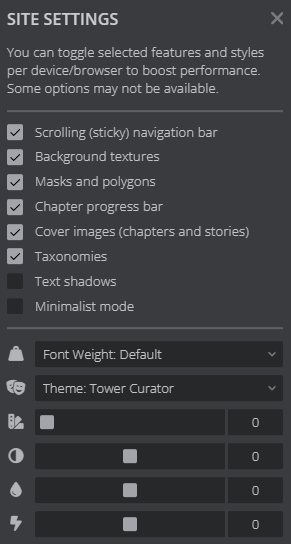
Just beyond that, if you hate your eyes, you can turn Dark Mode off with the little sun symbol. To the side of that is a big options menu allowing a lot of customization. I personally recommend leaving all the checkboxes default, but the little sliders down at the bottom will allow you to change the colors of the site, affecting hue, contrast, and all that fun stuff.
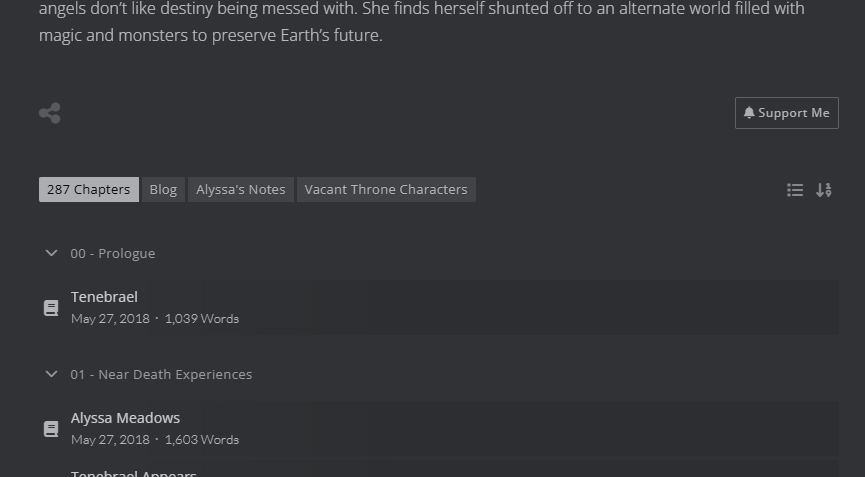
Then, on the Story pages, we’ve got even more features. Below the blurb and the share thingy and Support Me thingy, we’ve got a few little tabs there. These hold supplementary materials for the various stories, usually character lists and any extra things I made along the way. Further down, each story has its chapters listed, separated by book (or arcs in Vacant Throne’s case). If you’re logged in (more on that in a bit), you’ll see little checkmarks next to chapters you’ve read, showing your progress through the chapters.
If you’re logged in, the checkmarks are stored in your account. Even if you switch devices, you’ll still see them. Bookmarks work without logging in, but will only be stored on your device in that case.
Chapters have yet more customization. Don’t get overwhelmed. You probably don’t need to use anything I’ve said. I just want to make you aware so you have the option of choice.
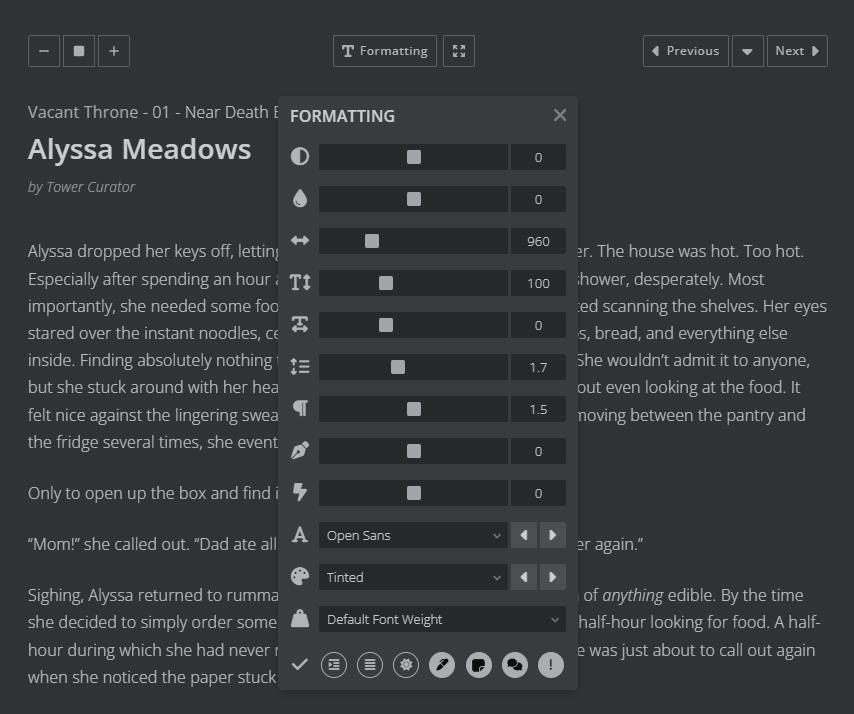
Above the chapter header, you’ve got the font size selector on the top left, a formatting/fullscreen button in the center, and the chapter navigation on the right. The formatting pane once again has some color options, but also spacing, size, font style, and whatever else all those little dials do. Play around, see what is comfortable for you.
Finally, logging in. I now support OAuth2 logins. If you don’t know what OAuth is, it’s that “Log in with Google” thing you see on some sites. For my site, Google, Patreon, and Discord are supported. Simply click the login icon in the top menu and select your service of choice.
Logging in provides a number of features. Most notably, progress tracking. Checkmarks appear next to chapters you’ve read. You also get bookmarks and persistence across devices. It definitely isn’t required to enjoy all the features of this site, but it does add a bit of value. Try it out!
Do note that you do not get email notices for clicking the follow button on story pages while logged in. That button adds a notice to the top of the site when there are new chapters, but no other notification. If you want to be notified of new chapter releases via email, the story pages should have a subscribe box where you can type in your email address. You can unsubscribe from any time via links inside the emails you receive.
Anyway, all this is WordPress still, despite stating that I wished to move away from it. It just has a handful of features I really, really liked that, after investigating some alternatives, would have taken a lot of work to work-around. But the theme and all these author-centric features come from Fictioneer. So big thanks to them for making my life easy.
Right. That’s enough yapping for now. There are a handful of other features, but I’ll leave that to you to explore!
-TC